Best 3D Printing Slicer: The Software That Decides Whether You Win or Waste Filament

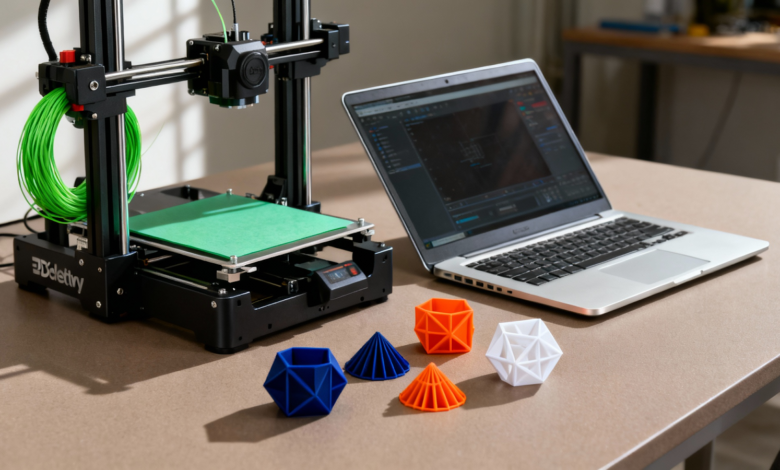
Most 3D printing failures aren’t because your printer is bad. They happen because your slicer made a terrible decision and you trusted it blindly.
If you’ve ever watched a print fail at 92% and questioned your life choices, congratulations: you already understand why choosing the best 3D printing slicer matters more than people admit. A slicer isn’t just software. It’s the translator between your idea and reality.
What Is a Slicer, and Why Does It Control Everything?
A slicer converts your 3D model into instructions your printer can understand. Layer height, speed, infill, supports, temperatures all decided here. That’s why people keep asking: which slicer is best for 3d printing? Because the wrong slicer can turn a perfect model into hot plastic spaghetti.
Popular Choices That Actually Deserve the Hype
Cura – The Crowd Favorite
Often called the best 3D printing slicer software for beginners and pros alike.
- Free and open-source
- Massive printer compatibility
- Endless community profiles
No surprise that on forums and best 3d printing slicer Reddit threads, Cura keeps showing up. It’s simple on the surface, deep underneath dangerous combo.
PrusaSlicer – Precision Without the Drama
If Cura feels too “busy,” PrusaSlicer feels intentional.
- Excellent default profiles
- Advanced support control
- Reliable for functional prints
Many users quietly call it the best slicer program for 3d printing when accuracy matters more than aesthetics.
Bambu Studio & OrcaSlicer – Speed Addicts’ Choice
If speed is your love language, these slicers speak fluently.
- Optimized toolpaths
- Great for modern high-speed printers
- Clean UI with aggressive performance
They’re often mentioned when people ask about the best slicer for 3d printing 2025, especially for production-style workflows.
For Linux Users
Yes, there is a best Linux 3D print slicer debate.Good news:
- Cura
- PrusaSlicer
Both run smoothly on Linux and are commonly ranked among the best slicer software for 3d printing without compromises. Here’s the uncomfortable truth.
The best 3D print slicer for miniatures is not the same as the best slicer 3D print choice for industrial parts. And it’s definitely not the same slicer used for mass production or rapid prototyping.
Some slicers shine at:
- Detailed models
- Strong functional parts
- Fast batch printing
That’s why lists of best slicers 3d printing never fully agree context matters.
Real-World Usage > Internet Opinions
You’ll see people comparing best 3d print slicer software. But the slicer that works best is the one that:
- Matches your printer
- Fits your material
- Aligns with your workflow
This applies whether you’re printing hobby parts at home or running professional jobs in places like 3D printing Canberra, where reliability and repeatability matter more than shiny features. There is no magical slicer that fixes bad models, cheap filament, or zero calibration.
But choosing the best 3D printing slicer for your needs will:
- Reduce failed prints
- Improve surface quality
- Save time and filament
- Keep your sanity intact
Whether you call it:
- 3d printing best slicer
- Best slicer program 3d printing
- Best 3d printing slicers
The goal is the same: control. Master your slicer, and your printer stops being a gamble. Ignore it, and you’ll keep blaming the machine.
FAQs
What’s the Best Slicer for 3D Printing?
There’s no single winner for everyone.The best slicer for 3D printing depends on how and why you print. That said, some slicers dominate the conversation for good reason.
Can one slicer work well with every 3D printer?
Not always. Even the best slicer for 3D printing can give poor results if it doesn’t have optimized profiles for your specific printer. Some slicers perform better with certain brands, motion systems, or firmware.
Does changing the slicer really improve print quality without hardware upgrades?
Yes, often more than people expect. Switching to a better-configured slicer or learning advanced slicer settings can dramatically improve layer adhesion, surface finish, and strength without changing a single hardware component.
For more information on 3D printing, visit KAD 3D.